Plugin for Magento 2 and Adobe Commerce
Accept payments in your Magento online store
Install the Buckaroo plugin with Composer and offer your customers iDEAL | Wero, Bancontact, credit cards, Klarna and more. For Magento Open Source and Adobe Commerce.
- Open source
- Separate Hyvä module available
- Technical support

Express checkout
Checkout without forms
With native buttons for Apple Pay, Google Pay and PayPal Express, your customers pay directly from the product page, the cart or the checkout. Address and payment details come from their wallet, so the order is placed in a few seconds.
- Built into your online store, no extra plugin needed
- Turn each button on or off in the plugin settings
- Especially useful on mobile, where extra forms quickly cost you conversions
What the plugin handles for you

All popular payment methods
Local and international methods in one plugin, from iDEAL | Wero and Bancontact to credit cards, Klarna and wallets. For customers in the Netherlands, Belgium and beyond.


Always the right order status
PUSH messages from Buckaroo update your orders in Magento automatically.

Refunds with a credit memo
Create a credit memo in Magento and the refund runs automatically through Buckaroo, in full or in part.

Secure and up to date
Get new payment methods and security updates with a single composer update.

Help from our technical support
Questions about installation or settings? Our technical support team will help you out.
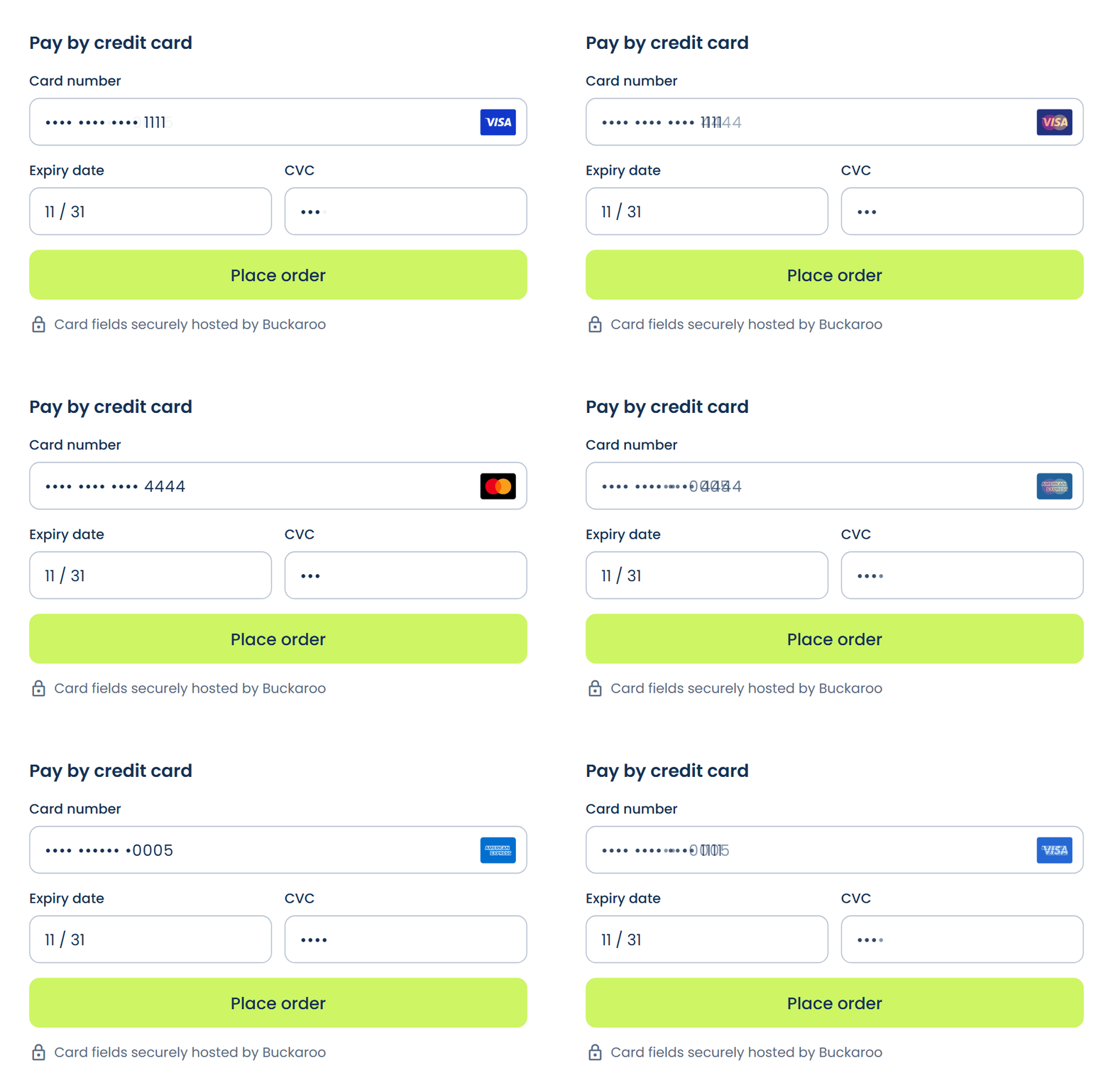
Hosted Fields
Card payments without a detour
Your customers enter their card details securely in your own checkout. They aren't redirected to a separate payment page, so checkout is faster and smoother.
Get more from your Magento store
Built-in features and additional modules that improve your conversion and insight, made for Magento 2 and Adobe Commerce.

Built in
Second Chance
Follow up on unpaid orders automatically with one or two reminder emails, in your own branding and sent through your own mail server.

Built in
Conversion tracking
Conversions are credited to the right source, even when a customer completes the payment on another device or in another browser. To do this, the plugin stores the Google Client ID with the order.

Additional module
Hyvä Checkout
Process payments in Hyvä Checkout or Hyvä React Checkout. This lets you combine a fast frontend with Buckaroo's payment methods.
- Alipay
- American Express
- Apple Pay
- Bancontact
- Belfius
- Billink
- Bizum
- Blik
- Carte Bleue
- Cartes Bancaires
- Click to Pay
- Credit Management
- EPS
- Gift cards
- iDEAL | Wero
- In3
- KBC
- Klarna
- Maestro
- Mastercard
- Nexi
- Bank transfer
- Pay by Bank
- PayPal
- PayPerEmail
- Postepay
- Przelewy24
- Riverty
- SEPA Direct Debit
- Swish
- Trustly
- Twint
- Visa
- Visa Electron
- VPAY
- WeChat Pay
- Business invoice payment
How to install the plugin
1
Install the module
Run composer require buckaroo/magento2 in the root folder of your Magento installation and enable the module.
2
Connect your account
Enter your Store key and Secret key in the plugin settings in the Magento Admin. You'll find them in your Buckaroo account.
3
Enable your payment methods
Test your checkout in test mode and set the payment methods live once everything works.
What do you need?
- A Buckaroo account
- Magento Open Source or Adobe Commerce
- Access to Composer on your server

“Few payment service providers (PSPs) offer a good integration for connecting online and offline channels. With a partner like Buckaroo, you can.”
Dominique Gloudemans, COO of terStal
“Emico is our technical partner for solving complex challenges. Buckaroo is a perfect fit with that. They don’t just offer good support, they also actively help us think about how to optimize our payment strategy.”
Rowin Peet, Head of Product at Plutosport

Frequently asked questions
Does the plugin cost anything?
The plugin itself is free. Transactions are charged at the Pricing in your Buckaroo contract.
Does the plugin work with Adobe Commerce and Adobe Commerce Cloud?
Yes. The plugin works with Magento Open Source and Adobe Commerce, including in the cloud.
Which Magento and PHP versions are supported?
You’ll find the current list of supported versions in the installation guide.
Where do I find my Store key and Secret key?
Log in to your Buckaroo environment. Under Settings → API Keys you’ll find the details to enter in the plugin.
How do I refund a customer?
Create a credit memo for the order in Magento. You can refund the full amount or part of it. The refund is processed automatically through Buckaroo.
Does the plugin support Click to Pay?
Yes. With Click to Pay, customers pay with their saved card without typing in their card details. Read how to set it up in the documentation.
Does the plugin work with Hyvä or a headless frontend?
Yes. With additional modules, the plugin works with Hyvä Checkout, Hyvä React Checkout and GraphQL. You’ll find them in the documentation.
Why don’t I see a payment method in my checkout?
Check that the method is active in your Buckaroo environment and in the plugin. A method can also be hidden if the currency, the customer’s country or the order amount doesn’t match that method.
Why does an order stay on ‘Pending Payment’?
Usually the status update from Buckaroo (the PUSH message) isn’t coming through. Check whether a firewall or maintenance mode is blocking messages from Buckaroo. The documentation explains how to fix this.
How do I keep the plugin up to date?
Update the plugin with composer update buckaroo/magento2, then run setup:upgrade. Install updates as soon as possible, so you also get the latest security fixes and payment methods.
Question not listed?
You’ll find all the answers in the documentation, or you can ask our technical support.
Another platform?
Would you like to know more about this webshop plugin?
Our specialists are available to answer all your questions. Fill in the form and we will contact you as soon as possible.


