App for CCV Shop
Accept payments in your CCV Shop online store
Install the Buckaroo Payments App from the CCV Shop App Store and offer your customers iDEAL | Wero, Bancontact, credit cards and more.
- Nothing to install on your own server
- Technical support

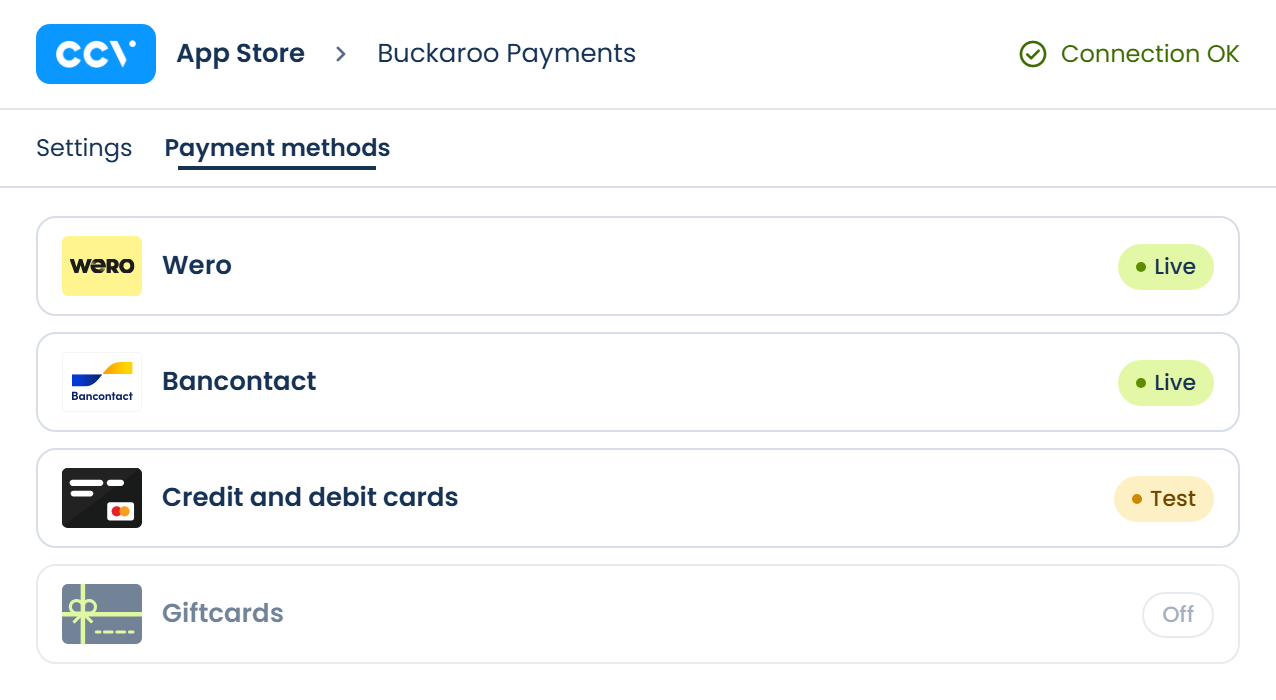
All in one app
Your payment methods under control
In the Buckaroo app, you manage all payment settings for your CCV Shop online store in one place. No code and no server: just open it and set it up.
- Set each payment method to live, test or off
- Choose the countries where each method appears
- Check your connection right away with Test Connection
What the app handles for you

All popular payment methods
Local and international methods in one app, from iDEAL | Wero and Bancontact to credit cards, Klarna and wallets. For customers in the Netherlands, Belgium and beyond.


Live, test or off per method
Set each payment method to live, test mode or off, one by one.

Countries per payment method
Choose the countries where each method appears, so customers only see what fits them.

In four languages
The app is available in Dutch, English, German and French.

Always the latest version
The app runs online, so you get updates and new payment methods automatically.
- Alipay
- Apple Pay
- Bancontact
- Belfius
- Billink
- Bizum
- Credit and debit cards
- EPS
- Gift cards
- Google Pay
- iDEAL | Wero
- In3
- KBC
- Klarna
- MB WAY
- Multibanco
- Bank transfer
- Pay by Bank
- PayPal
- Przelewy24
- Riverty
- Swish
- Trustly
- Twint
- WeChat Pay
- Wero
How to activate the app
1
Install the app
Open the App Store in your CCV Shop admin, search for Buckaroo and install the Buckaroo Payments App.
2
Connect your account
Go to App Store → Installed apps and click Edit next to Buckaroo. Enter your Store key and Secret key, then click Test Connection.
3
Turn on your payment methods
Test your payment methods in test mode. Ready to go live? Set the methods to live and set Mode in the general settings to Yes, I’m ready to receive payments.
What do you need?
- A Buckaroo account
- An active CCV Shop online store
- An active subscription for each payment method
Frequently asked questions
Are there any costs for the app?
The app itself is free. Transactions are charged at the Pricing in your Buckaroo contract.
Do I need to install anything on my server?
No. You install the app from the App Store in your CCV Shop admin and manage everything online.
Where do I find my Store key and Secret key?
Log in to your Buckaroo account. Under Settings → API Keys you'll find the details to enter in the app.
Can I test before going live?
Yes. Put a payment method in test mode and make a few test payments. As long as a method is in test mode, you'll see a notice at the top of the page.
Can I test one payment method while the rest are live?
Yes. You set the status per method, so you can put a new method in test mode while the others stay live.
Can I show a payment method only in certain countries?
Yes. In the settings of each method, you choose the countries where it's shown. If you leave this empty, the method is available in all countries.
Test Connection failed. What now?
Usually a space was copied along with the key, or the key belongs to a different Buckaroo store. Copy your Store key and Secret key again from your Buckaroo account.
Where do I find the app after installation?
In your CCV Shop admin, go to App Store → Installed apps and click Edit next to Buckaroo Payments.
Why don't I see a payment method in my checkout?
Check that the method is active in your Buckaroo account and set to live or test in the app. Then check the countries in the method's settings: they hide a method without any notice to your customer.
My methods are live, but no payments are coming in. Why?
Check Mode in the general settings. It must be set to Yes, I’m ready to receive payments. Otherwise no payments are collected, whatever the methods are set to.
Can't find your question?
The documentation has all the answers, or you can ask our technical support.
Another platform?
Would you like to know more about this webshop plugin?
Our specialists are available to answer all your questions. Fill in the form and we will contact you as soon as possible.


